
Learn how custom firmware can reduce Antminer ASIC power consumption. This comprehensive guide includes recommendations, tips, and links to reputable resources.
Firmware as a way to cut costs ✨
In the world of mining, energy isn’t just a number on a bill; it’s the nerve center of a business. When Bitcoin is in turmoil and the exchange rate fluctuates, kilowatts can mean the difference between profit and loss. Therefore, many miners consider custom firmware as a way not only to boost hashrate but also to reduce power consumption. GetAsic’s firmware for the S17 is an example: it features a sleep mode that switches the fans to a passive state, completely disabling mining. Switching to this mode reduces power consumption, which is especially important for home mining. Furthermore, the firmware allows you to monitor power consumption and displays how many watts the device requires in each profile. Isn’t that a dream for those who count every watt?
Digging deeper, custom firmware allows you to do things the manufacturer didn’t even mention: change the frequency of each board or individual chip, disable fans for immersion cooling, and even switch the devices to a minimum noise mode. These features transform the miner into a flexible tool, not just a brick with a single button. Awesome Miner’s custom firmware improves the hashrate (by an average of 10 percent for the S9, and by 40 percent for the S17), but most importantly, it increases power efficiency by allowing you to configure each chip individually. If the internet connection is lost, consumption drops to 25 watts, while the standard Bitmain firmware continues to consume the maximum. This autonomous power reduction is especially appreciated by those who use devices in regions with expensive electricity.
Downvolting and downclocking are the language of savings 💡
To reduce power consumption, miners are increasingly using two techniques: undervolting and downclocking. The former reduces the voltage on the hash boards, while the latter reduces the processor’s clock speed. For example, the custom BiXBiT firmware makes it possible to reduce the voltage on the ASIC by almost half: a profile switch automatically adjusts temperature settings and switches to lower settings in the event of errors. The claimed downvolting of up to -50 percent allows for device adaptation to specific conditions and savings. Furthermore, the company has implemented smart control: silent fan start, liquid immersion mode, manual speed adjustment, and board shutdown in case of overheating. Thanks to this, the devices last longer and run cooler.
Downclocking is another popular method. As Zeus Mining notes, reducing the frequency allows you to control the balance between power consumption and hashrate. Their description shows that on the S19, when reducing the power from 3250 W to 2350 W, the hashrate drops from 95 TH/s to 85 TH/s, but the watt-per-watt efficiency remains attractive. On the S19j Pro, when reducing the power to 87 TH/s, the consumption drops from 3068 W to 2250 W. That’s almost a kilowatt of savings! These figures are astounding, but it’s important to remember: each miner needs to find a sweet spot where reducing the frequency doesn’t kill its profits.
Why should you update your firmware? 🚀
Replacing the Antminer’s proprietary software with custom firmware is like upgrading from an automatic transmission to a manual one: you control the power, temperature, and noise yourself. Besides the obvious cost savings, there are additional benefits:
- Better device control. Firmware like Awesome Miner displays current power consumption and the performance of each chip, and allows you to put the miner into sleep mode when consumption drops to 25W.
- Security. Many firmware versions include antivirus software and backup capabilities.
- Sleep mode and automatic recovery. GetAsic’s S17 firmware can disable mining during internet outages, preventing the device from consuming any power.
- Profile flexibility. The BiXBiT profile switch automatically selects temperature settings and reduces power if errors occur.
- Increased service life. Operating at lower power and in cooler temperatures, ASIC miners experience less wear, as confirmed by Braiins research.
Of course, firmware won’t solve all problems. You need to know how to properly unlock SSH, understand the risks, and prepare a backup plan in case of failure. However, proper configuration provides a significant boost in efficiency.
What about the warranty? 🤔
One of the reasons beginners are wary of flashing their Antminers is the potential loss of warranty. While Bitmain doesn’t approve of third-party firmware, it’s worth considering: if the equipment has long since paid for itself or the warranty period has expired, why not try improving its performance? Many miners report that they can restore the factory firmware using an SD card, so the risk isn’t that great.
Practical advice and conclusions 🌍
- Know your hardware. Before flashing, find out the exact ASIC model, board revision, and power supply requirements.
- Look for verified firmware. Use reputable sources such as Braiins OS, Vnish, HiveOn, and Awesome Miner. Don’t download unverified files from unknown forums.
- Start small. Set the voltage to the minimum and observe how the temperature, hashrate, and power consumption change. It’s better to gradually reduce the voltage than to immediately go to extreme settings.
- Monitor the temperature. Have a backup cooling plan: fans, immersion baths, air conditioning. Saving on watts shouldn’t lead to overheating.
- Use monitoring tools. Programs like BTC Tools allow you to bulk update firmware, restart miners, and even reduce their power consumption on the fly. This is convenient if you have multiple devices.
Firmware replacement isn’t just a tech geek’s game. It’s an attempt to reconcile mining with economics and ecology. While most people debate how “dirty” Bitcoin remains, some enthusiasts are demonstrating in practice that the right firmware reduces consumption by hundreds of watts and makes every terahash greener. Perhaps this approach will allow mining to fit into a world where resources are becoming increasingly expensive and caring for the planet is no longer just empty words.
Custom Antminer ASIC Firmware to Reduce Power Consumption
Energy today accounts for half of profits. Sometimes more. While firmware was once associated with overclocking, it’s now increasingly being installed for the opposite purpose—reducing wattage without dramatically reducing hashrate.
Below are the actual firmware versions used by miners around the world.
🔵 Braiins OS / Braiins OS Plus
Supported models: S9, S17, S19, S19j Pro, S19 XP and others.
Main advantage: autotuning + precise power control.
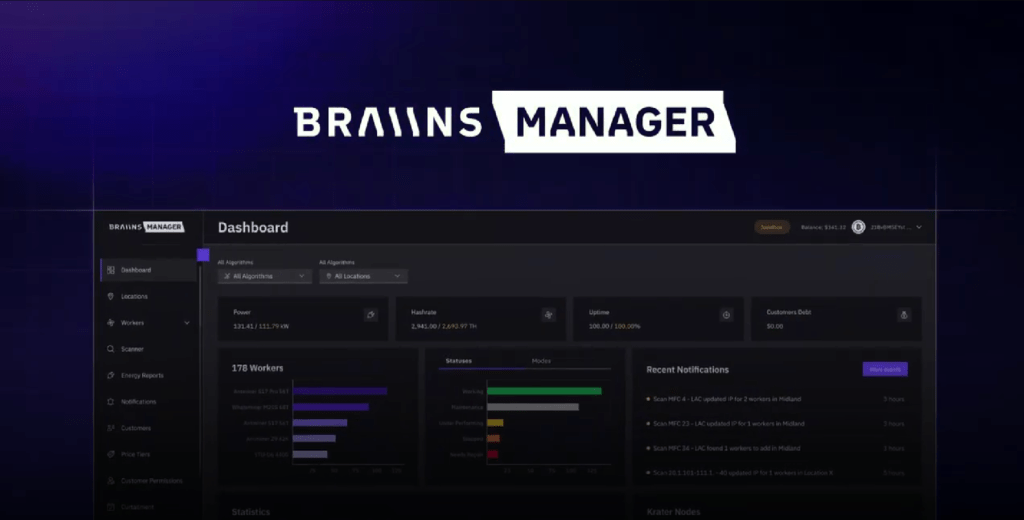
What can it do?
- Setting the Power Limit
- Automatic frequency adjustment for each chip
- Downvolting
- Economy modes
- Detailed efficiency statistics (W/TH)
Braiins is more of an engineering tool than “just firmware.” It’s very flexible.
Braiins OS and intelligent control ⚙️
One of the most well-known Antminer solutions is the Braiins OS operating system. This firmware not only provides access to detailed settings but also introduces the concept of “auto-tuning.” The Braiins blog provides a telling example: the Antminer S9 with Braiins OS can operate in the range of 400 to 1800 W. At lower power settings, the device generates less heat, the fans spin slower, noise is reduced, and the hash board lifespan increases. Remarkably, with 13 TH/s and a consumption of just 1 kW, the efficiency is around 76 W/TH – better than the factory 86 W/TH.
Braiins engineers explain that the key to efficiency is proper frequency and voltage management. Their article on “Smarter Clock Speed Management” explains that downclocking reduces not only the frequency but also the voltage; since power consumption is proportional to the square of the voltage, even a small voltage reduction yields significant savings. The approach varies for different models: higher-end devices like the S19j Pro are best set to power-saving mode, mid-range devices (S19 XP) should be adjusted to suit the circumstances, and newer, more efficient models (S21 Pro) can sometimes benefit from overclocking. The efficiency chart shows that Braiins OS improves performance: for the S17, it reduces specific power consumption from 45 to 31 J/TH (a 31% reduction), and similarly for other models. Autotuning selects the optimal parameters for each chip, and the user sees the final result without delving into the settings.
Instructions for reducing power consumption using Braiins OS
Step One: Installation
- Download the firmware from the official Braiins website.
- Log in to the Antminer web interface.
- System → Upgrade.
- Download the firmware file.
- Wait for the reboot.
(If the model requires it, firmware can be installed via SD card.)
Step two: Setting the power limit
- Open the Performance tab.
- Turn on Auto-Tuning.
- Set the Power Limit below the default value.
For example:- S19 standard ~3250W
- Set to 2600-2800W for Economy mode
Step three. Testing
- Run the miner for 12-24 hours.
- Check the temperature.
- Rate the efficiency (W/TH).
Often, a 15-20% reduction in power results in a hashrate drop of only 8-12%.
The economy improves significantly.
🟣 Vnish Firmware
Supports: S17, T17, S19, S19j Pro
Feature: Aggressive autotuning + flexible downvolting
Vnish is loved by those who want complete control. The interface is slightly simpler than Braiins.
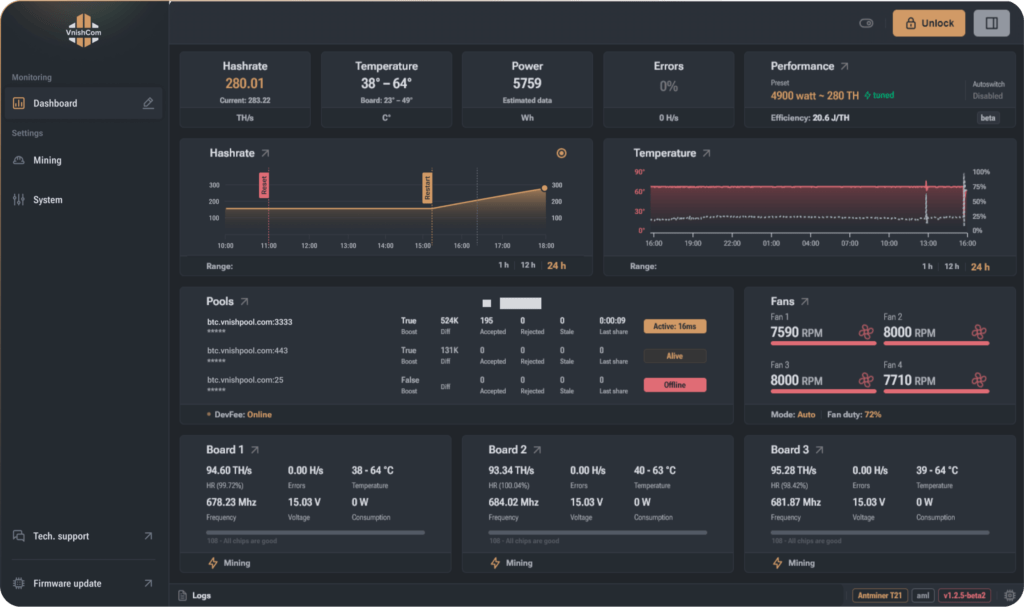
Instructions for reducing consumption with Vnish
Step One: Installation
- Download the firmware from the official website.
- Download the file via System → Upgrade.
- Restart your device.
Step two. Select a profile
in the Miner Configuration section:
- Select the “Low Power” mode
or - Turn on manual mode and set:
- Frequency below standard
- Voltage below nominal
Step three. Gradual downvolting.
Do not reduce voltage abruptly.
Example for S19:
- Standard: 3250W
- Reduce to 2900W
- Then up to 2700W
- Then test the stability
If chip errors appear, slightly increase the voltage.
🟢 Hiveon ASIC Firmware
Support: S17, T17, S19
Feature: Integration with Hive OS + Convenient Mass Management
Suitable for farms with multiple devices.
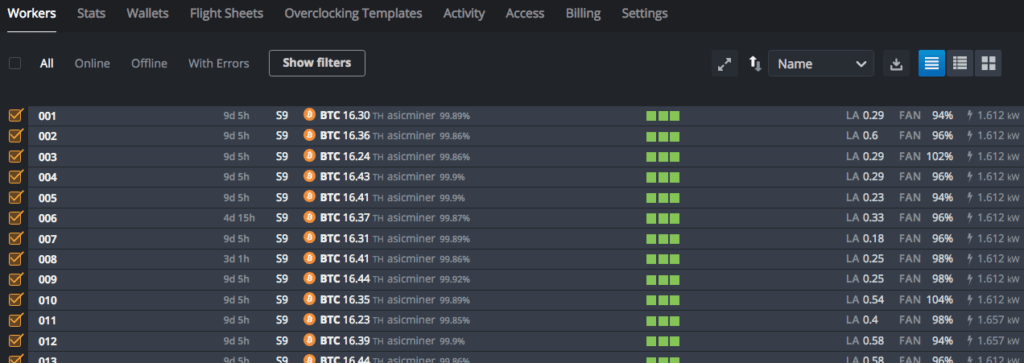
Economy Mode Instructions
Step one. Installation.
The firmware is installed via the web interface or centrally via Hive OS.
Step two. Select Power Mode.
In Settings, select:
- Eco Mode
or - Custom Mode with manual power limit
Step three: Control via Hive OS
- Monitor W/TH
- Monitor the temperature
- Use group profiles
The advantage is that you can reduce the energy consumption of the entire farm with one click.
🟡 Awesome Miner Custom Firmware
Support: S9, S17, S19
Feature: Integration with the Awesome Miner monitoring system
Suitable for centralized management of multiple ASICs.
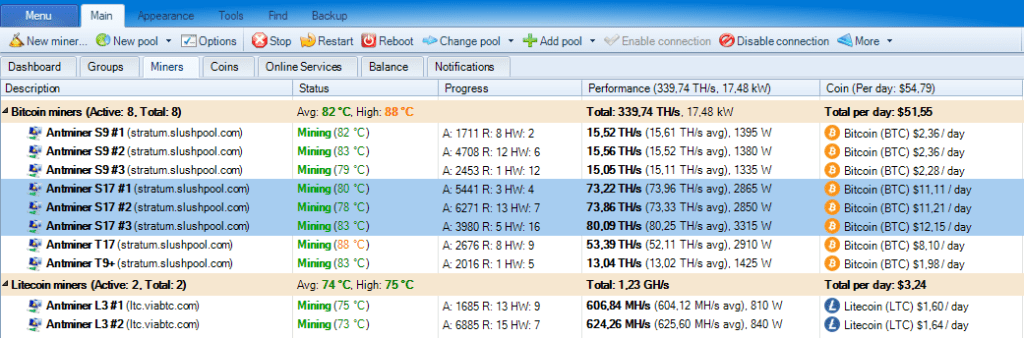
Instructions
- Install the firmware via standard Upgrade.
- Connect the miner to Awesome Miner.
- In the Performance settings:
- Install Power Target.
- Turn on Auto-Adjust.
Practical example: S19 in Economy mode
If the internet goes down, the miner can automatically reduce power consumption instead of running idle.
Standard:
- 95 TH/s
- ~3250W
- ~34 W/TH
After flashing and downclocking:
- 85 TH/s
- ~2500–2700W
- ~29–31 W/TH
And here’s the magic of economics:
you lose a little hashrate, but you gain in electricity costs. If electricity is expensive, this is critical.
General rules for safely reducing consumption
✔ Reduce power gradually
✔ Don’t change everything at once
✔ Monitor chip temperatures
✔ Make a backup copy of the stock firmware
✔ Check the power supply – it should work with a reserve
An important point
Reducing energy consumption isn’t a “magic button.”
It’s a matter of finding balance.
Sometimes it is better to reduce the power by 10%,
and sometimes by 25%.
It all depends on:
- electricity prices
- room temperature
- current network complexity
- mining strategies
When you shouldn’t flash
- The device is under warranty
- No experience with network equipment
- A farm in a remote data center without physical access
| Firmware | Standard consumption | Economy mode | Average efficiency |
|---|---|---|---|
| Stock | ~3250W | — | ~34 W/TH |
| Braiins | 2600–2800W | Yes | ~29–31 W/TH |
| Vnish | 2700–2900W | Yes | ~30–32 W/TH |
| Hiveon | 2800–3000W | Yes | ~31–33 W/TH |
Read more:
 Optimized Firmware Antminer T17/T17+/S17/S17+/S17 Pro (Overclocking ASIC on +30%)
  AwesomeMiner for ASIC Miners: Download Antminer Firmware
  How to increase the profitability of ASIC-miner S17/T17? – Antminer Firmware
  ASIC FIRMWARE: Download for Antminer and instructions for their installation
  BTCTools v1.3.3 – Download Antminer Software for managing, searching, flashing ASIC
  Antminer Toolkit for ASIC: Download and configure. Instructions for use for Windows
  AwesomeMiner v8.4.4: Download CPU/GPU/ASIC Mining Software for Windows
  IP Reporter Antminer: How to find out the IP of your ASIC?
  AwesomeMiner v7.7.1 (ASIC, GPU, CPU) Download for Windows
  Mining Economics in 2025: How to Calculate a Farm’s Return on Investment and Reduce Risks

